A few months ago, I worked on an organizational AI project for our company. The goal was simple on paper. We wanted an AI assistant that could answer questions using internal company knowledge.
Things like employee handbooks, company brochures, policy documents, service information, internal guides, and other useful files.
At first, the obvious answer was RAG, which stands for Retrieval-Augmented Generation.
The idea behind RAG is not too complicated. Instead of asking a large language model to answer from memory, we give it access to documents. When someone asks a question, the system searches the documents, finds the most relevant parts, sends that context to the model, and then the model gives an answer.
This is very useful. It reduces hallucination. It gives the AI fresh information. It also allows companies to build AI systems around their own data without training a model from scratch.
But once you start building a real system, you quickly notice something.
Basic RAG is good, but it is not always enough.
Some questions are simple. A user may ask, “What is the leave policy?” or “Where can I find the employee handbook?” For these questions, normal RAG works well. The system searches the documents, finds the right section, and answers.
But then users start asking harder questions.
They may ask, “What is the difference between our service packages?” or “Based on the handbook and onboarding guide, what should a new employee do in their first week?” These are not just search questions. They require planning. They require checking more than one source. They may require remembering previous context in the conversation. Sometimes they require using tools, such as a database lookup, a file search system, or an internal API.
This is where Agentic RAG becomes useful.
What is RAG in simple words?
Before talking about Agentic RAG, let us first understand basic RAG.
A normal RAG system usually starts when a user asks a question. The system converts that question into a format that can be searched, usually through embeddings. It then searches a vector database, retrieves matching document chunks, passes those chunks to the language model, and the model writes an answer based on the retrieved text.
This is a very common design pattern now. It is used in customer support bots, company knowledge assistants, document search tools, research helpers, legal assistants, and many other AI applications. If you are new to the concept, Google Cloud’s explanation of Retrieval-Augmented Generation is a useful starting point.
The biggest benefit is that the model does not need to know everything in advance. It can use your documents as its source of truth.
For example, in our organizational AI project, we used a RAG-based knowledge base so the AI could retrieve answers from company handbooks, brochures, and other internal material. This was much better than asking a general AI model to guess the answer.
If a user asked about a company policy, the AI could retrieve the right section from the handbook. If a user asked about services, it could refer to brochures. This made the assistant more useful and more trustworthy.
But RAG has limits.
Where basic RAG starts to struggle
Basic RAG usually depends heavily on the first search query.
If the user asks a clear question, the search works well. But users do not always ask clear questions.
Sometimes the question is vague. Sometimes it has missing context. Sometimes it needs multiple searches. Sometimes the answer is spread across different documents. Sometimes the system retrieves the wrong chunks because the wording in the question does not match the wording in the document.
For example, a user may ask, “What should I do before joining?”
This could mean joining a company as an employee. It could mean joining a meeting. It could mean joining a training session. It could mean onboarding as a client.
A basic RAG system may retrieve something, but it may not understand that it needs to clarify the intent or search across multiple possible sources.
Another problem is that basic RAG often works like a single attempt. It searches once, retrieves once, and answers once.
That is not how humans research.
When I search for something, I do not always get the right answer in the first attempt. I search, read, adjust my question, search again, compare sources, and then form an answer.
Agentic RAG tries to make the AI system work more like that. For a broader technical view, this Agentic Retrieval-Augmented Generation survey paper explains how planning, tool use, and adaptive retrieval are becoming part of modern RAG systems.
What is Agentic RAG?
Agentic RAG is an advanced version of Retrieval-Augmented Generation where an AI agent controls the retrieval process more intelligently.
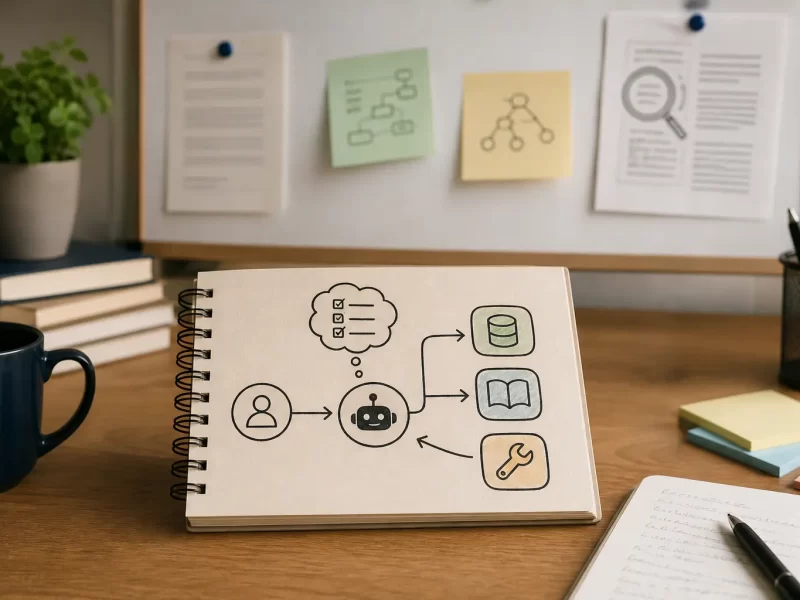
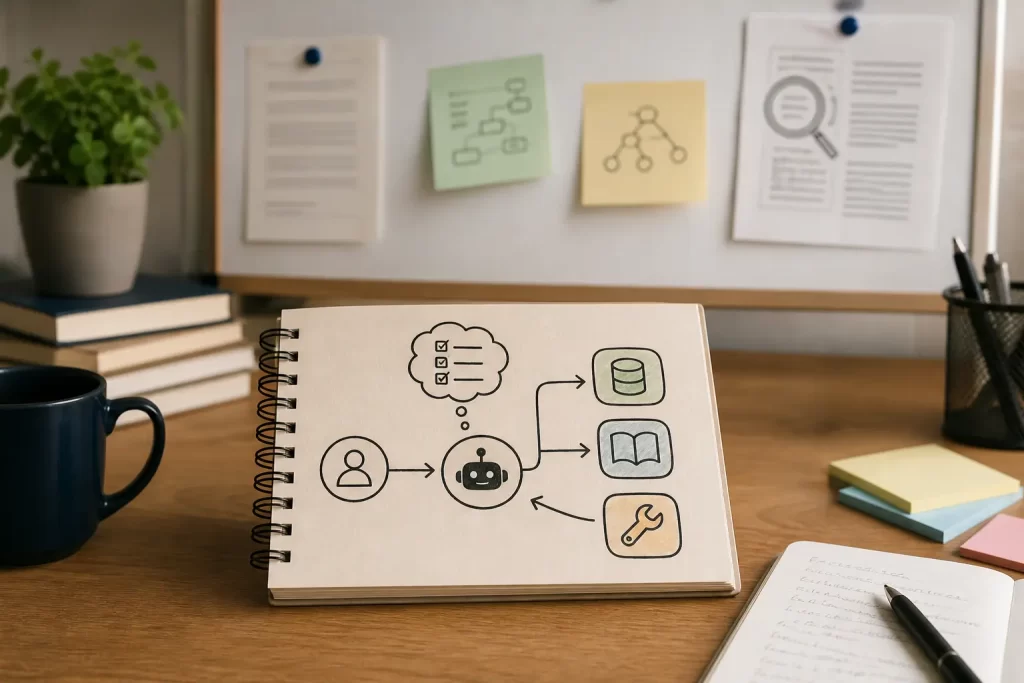
Instead of simply retrieving documents once and answering, the system can plan, search, reflect, use tools, remember context, and decide what to do next.
In basic RAG, retrieval is usually a fixed pipeline. In Agentic RAG, retrieval becomes a flexible process.
The agent can think through the task before answering. It can decide whether it needs one document or multiple documents. It can decide whether the retrieved information is enough. It can reformulate the question and search again. It can use another tool if the document search is not enough. It can also ask the user a follow-up question when the request is unclear.
This is what makes Agentic RAG powerful.
It is not just a search system connected to an AI model. It is a system where the AI can decide how to search, when to search again, and when to use other tools. Microsoft has also started describing this pattern through agentic retrieval in Azure AI Search, where complex questions can be broken into smaller retrieval tasks.
Why planning matters in RAG
Planning is one of the biggest differences between basic RAG and Agentic RAG.
Let us say someone asks, “Can you explain the onboarding process for a new employee and mention any documents they should read?”
A basic RAG system may search for “onboarding process” and retrieve a few chunks.
An Agentic RAG system can break the task into smaller steps. It can first find the onboarding policy. Then it can look for the employee handbook. After that, it can check if there is a checklist or welcome document. Finally, it can combine the information into a clean answer and mention the right documents.
This is much closer to how a human support or HR person would answer.
Planning becomes even more important when the answer needs comparison.
For example, someone may ask, “What is the difference between our internal policy and what we mention in the public brochure?”
This question cannot be answered properly with one simple search. The AI needs to search internal policy documents, search brochures, compare both, and then produce a careful answer.
Without planning, the answer may be incomplete. With planning, the system can create a small research path before answering.
Why memory matters
Memory is another key part of Agentic RAG.
In a normal RAG system, each question may be treated almost like a fresh request. The system may not understand what happened earlier in the conversation unless that context is manually passed into the prompt.
But real conversations are not isolated.
A user may first ask, “What does the handbook say about probation?” Then they may follow up with, “What about after confirmation?” After that, they may ask, “Can you summarize both for a new employee?”
To answer properly, the system needs to remember the conversation context. It needs to know that “after confirmation” is related to probation and employment status. It also needs to know that “both” refers to probation and post-confirmation policies.
Agent memory can exist in different forms. Short-term memory helps the assistant follow the current conversation. Long-term memory may store useful preferences or previous interactions. Retrieval memory can help the system search past answers, documents, or decisions.
For company AI assistants, memory should be handled carefully. Not everything should be stored. Sensitive data should not be remembered without a clear reason. Users should know what the system can access.
But when designed properly, memory makes the assistant feel much more useful.
It stops behaving like a search box and starts behaving like an assistant that understands the flow of work.
Why tools matter
Tools are what allow an AI agent to do more than generate text.
A tool can be anything the AI is allowed to call. It could be a document search tool, a database query, a calendar lookup, an API, a ticketing system, a file reader, or an internal company system.
In basic RAG, the main tool is usually document retrieval.
In Agentic RAG, the agent can choose from multiple tools depending on the task.
For example, in an organizational AI assistant, the agent may use one tool to search company handbooks, another tool to search brochures, another tool to check client information, and another tool to create a support ticket.
This is where AI agents start to become really interesting.
They are not just answering questions. They are helping complete workflows.
But tools also create risk.
If an AI agent has access to powerful tools, permissions become very important. You do not want every user to access every document. You do not want the AI to call an action tool without approval. You do not want sensitive information to leak into an answer.
So Agentic RAG needs proper guardrails.
The system should know who the user is. It should respect access controls. It should log tool usage. It should ask for confirmation before taking important actions. It should separate read-only tools from action tools.
This is where AI development starts to look more like real software engineering and less like just prompt writing.
A practical example from an organizational AI system
Let me explain this with a practical example.
Imagine a company has an AI assistant for employees. The assistant has access to internal documents such as handbooks, brochures, onboarding guides, department information, and support procedures.
A user asks, “What should I know before talking to a new client about our publishing services?”
A basic RAG system might search for “publishing services” and return a brochure section.
That may be useful, but it is probably not complete.
An Agentic RAG system can do better.
It can first understand that the user is preparing for a client conversation. Then it can search company brochures for service descriptions. After that, it can search internal guides for process details. It can also search a sales guide or communication document for client-facing instructions.
The final answer can become a short client meeting brief. It may include a simple overview of services, important points to mention, things to avoid saying, useful internal documents, and possible questions the client may ask.
This is much more valuable than simply returning a paragraph from a brochure.
This is the difference between document search and intelligent assistance.
Agentic RAG is not always needed
It is important to say this clearly.
Not every RAG system needs to be agentic.
If your use case is simple document question answering, basic RAG may be enough. Many cloud providers already explain this classic approach well, including AWS, IBM, and Microsoft.
For example, if users ask direct questions and the answer is usually found in one document, a clean RAG pipeline can work very well.
Agentic RAG adds complexity. It may increase cost. It may add latency. It may need more testing. It may require better monitoring. It may behave unpredictably if not designed well.
So we should not use Agentic RAG just because it sounds advanced.
Use it when the problem actually needs it.
Agentic RAG is useful when questions are complex, answers need multiple sources, users need reasoning, tools are required, or the assistant needs to complete a workflow.
For simple lookup tasks, keep the system simple.
Good AI architecture is not about using the most advanced pattern. It is about using the right pattern for the problem.
What makes a good Agentic RAG system?
A good Agentic RAG system needs more than a model and a vector database.
It needs a strong retrieval layer. This means good document processing, clean chunking, useful metadata, and reliable search. If the retrieval is poor, the final answer will also be poor.
It also needs a planning layer. The agent should be able to understand whether the user’s question is simple or complex. A simple question should not become a complicated process. A complex question should not be answered with one quick search.
It needs tool access, but not unlimited tool access. Tools should be selected carefully. A company assistant may need document search, employee policy lookup, service information lookup, or ticket creation. But each tool should have a clear purpose and proper permissions.
Memory also needs careful design. The system should remember enough to keep the conversation useful, but not so much that it creates privacy or security issues.
Finally, it needs observability. This means logs, traces, evaluation results, cost tracking, and error monitoring. If someone says the AI gave a wrong answer, you need a way to investigate what happened. You need to know what the user asked, what the agent searched, what it retrieved, which tools it used, and what context was passed to the model.
Without this, debugging an AI agent can become very difficult.
Common mistakes when building Agentic RAG
One common mistake is giving the agent too many tools too early.
When an agent has too many choices, it can become unreliable. It is better to start with a small set of useful tools and add more only when needed.
Another mistake is ignoring document quality.
If your documents are outdated, duplicated, unclear, or badly structured, the AI will struggle. RAG depends heavily on the quality of the knowledge base.
This is something I noticed while working on the organizational AI project. The AI can only retrieve what exists. If the handbook is outdated or the brochure has old wording, the AI may produce an answer that looks polished but is not correct.
Another mistake is not testing real user questions.
Developers often test with clean questions. Real users ask messy questions. They use incomplete sentences. They ask follow-up questions. They mix topics. They expect the AI to understand context.
Testing should include real examples from employees, customers, support teams, and managers.
Another mistake is trusting the AI too much.
Even with Agentic RAG, the system can still make mistakes. It can retrieve the wrong source. It can misunderstand the question. It can combine information incorrectly.
This is why source references, human review, and confidence checks are important.
Security and access control matter a lot
When AI systems are connected to internal company data, security becomes one of the most important parts of the design.
A company AI assistant may have access to handbooks, HR policies, brochures, client documents, technical guides, and internal processes.
Not every user should see every document.
The retrieval system must respect permissions. If a user cannot access a document normally, the AI should not reveal information from that document either.
This sounds obvious, but it is easy to get wrong.
For example, if all company documents are copied into one vector database without access control, the AI may retrieve information for the wrong user.
A better approach is to keep permission checks close to retrieval. The system should filter results based on the user’s role, department, or access level.
Action tools should be treated even more carefully.
Reading a document is one thing. Sending an email, updating a record, deleting a file, or creating a ticket is another thing.
For important actions, the system should ask for confirmation.
Agentic AI becomes powerful when it can act. But that power needs control.
The future of RAG is more agentic
I do not think RAG is going away.
Instead, I think RAG is becoming part of a bigger agentic architecture.
The first generation of RAG systems were mostly search and answer systems.
The next generation will be more like research assistants.
They will plan. They will search multiple sources. They will remember context. They will use tools. They will ask better follow-up questions. They will know when they do not have enough information. They will help users complete tasks instead of only answering questions.
This is especially useful for organizations.
Most companies already have a lot of knowledge, but it is scattered across PDFs, handbooks, websites, brochures, drives, emails, tickets, and internal systems.
An Agentic RAG system can become a layer on top of that knowledge.
It can help employees find information faster. It can help support teams answer customers better. It can help new employees onboard faster. It can help managers access policy and process information without searching through folders.
It can also make company knowledge more usable.
That is the real value.
Not just AI for the sake of AI, but AI that helps people work better.
Final thoughts
Agentic RAG is not just a buzzword. It is a practical step forward from basic Retrieval-Augmented Generation.
Basic RAG is useful when you need grounded answers from documents.
Agentic RAG is useful when the answer needs planning, memory, tools, and multiple steps.
When I worked on an organizational AI system, the value of RAG became very clear. Giving an AI assistant access to company handbooks, brochures, and internal documents made it far more useful than a normal chatbot.
But it also showed the limits of a simple RAG pipeline.
Real company questions are not always simple. Users need context. They need comparison. They need guidance. They need the assistant to understand what they are trying to achieve.
That is where Agentic RAG makes sense.
It turns a knowledge base into something closer to an intelligent assistant.
The best approach is to start simple. Build a clean RAG system first. Make sure your documents are organized. Make sure retrieval works well. Make sure answers include sources. Then add agentic features only where they create real value.
Planning should solve complex questions. Memory should improve conversation flow. Tools should help users complete useful tasks. Security should protect company data. Observability should help teams debug and improve the system.
If built properly, Agentic RAG can become one of the most useful AI patterns for organizations. It brings together the best parts of search, knowledge management, automation, and AI assistance.
For companies that already have a lot of internal knowledge, this is a very exciting direction.
The future of AI inside organizations will not be just about asking a chatbot questions.
It will be about building assistants that can understand the task, find the right knowledge, use the right tools, and help people move from question to action.